3D Pegboard Configurator
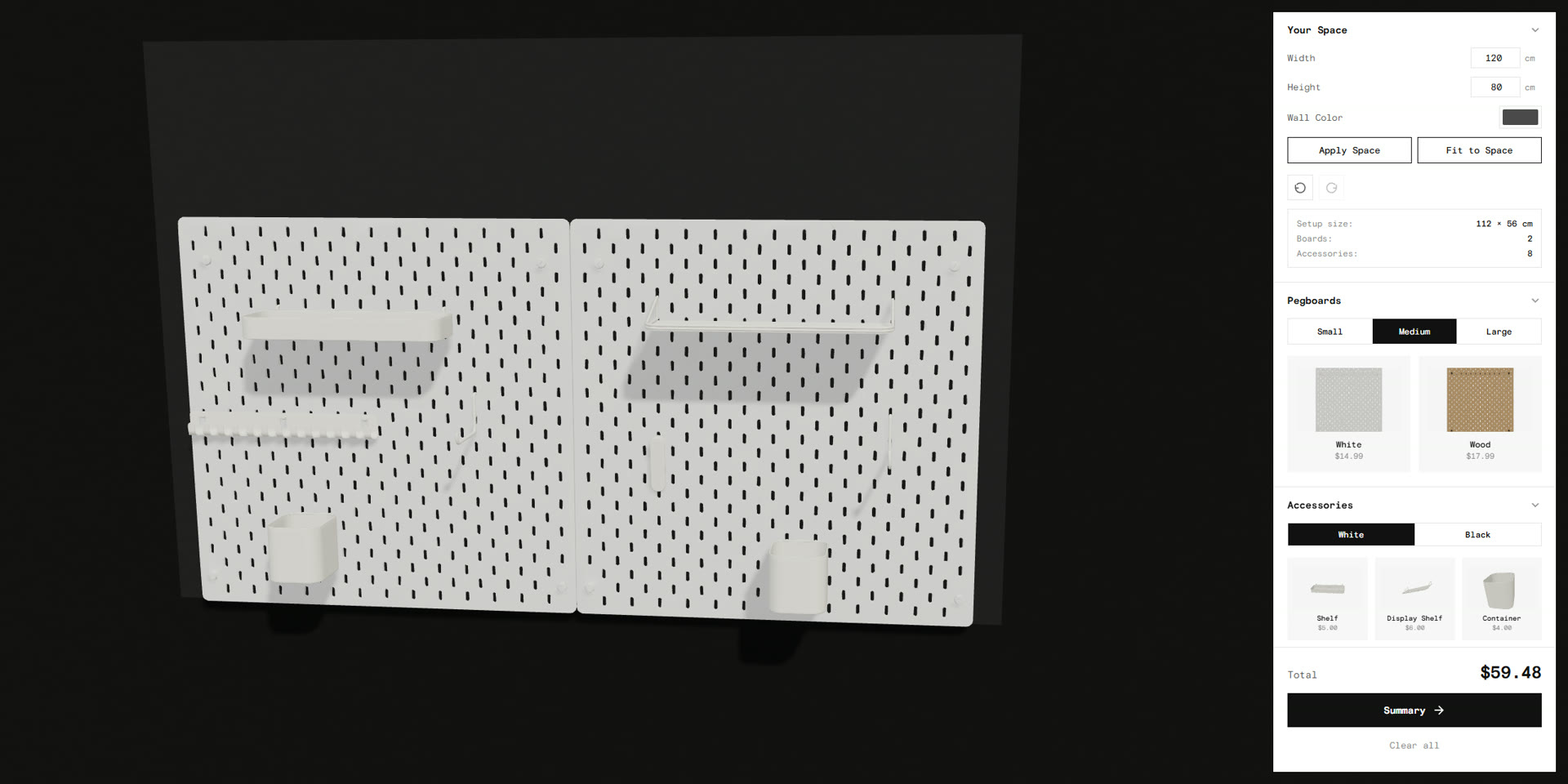
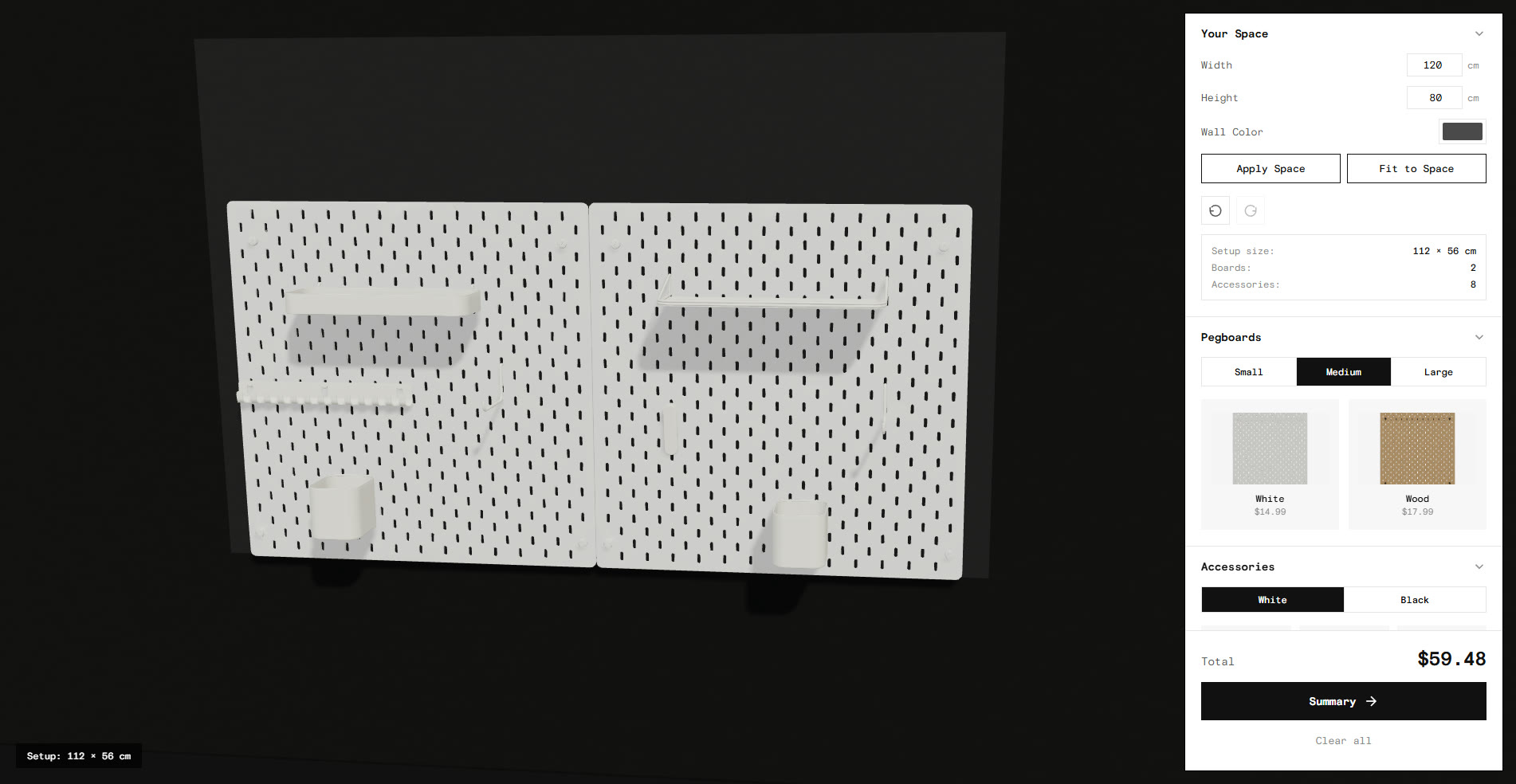
A browser-based 3D tool, built with Three.js, for planning a pegboard storage wall. The user picks a board size and finish, drags accessories onto it, and watches the price update as they build.
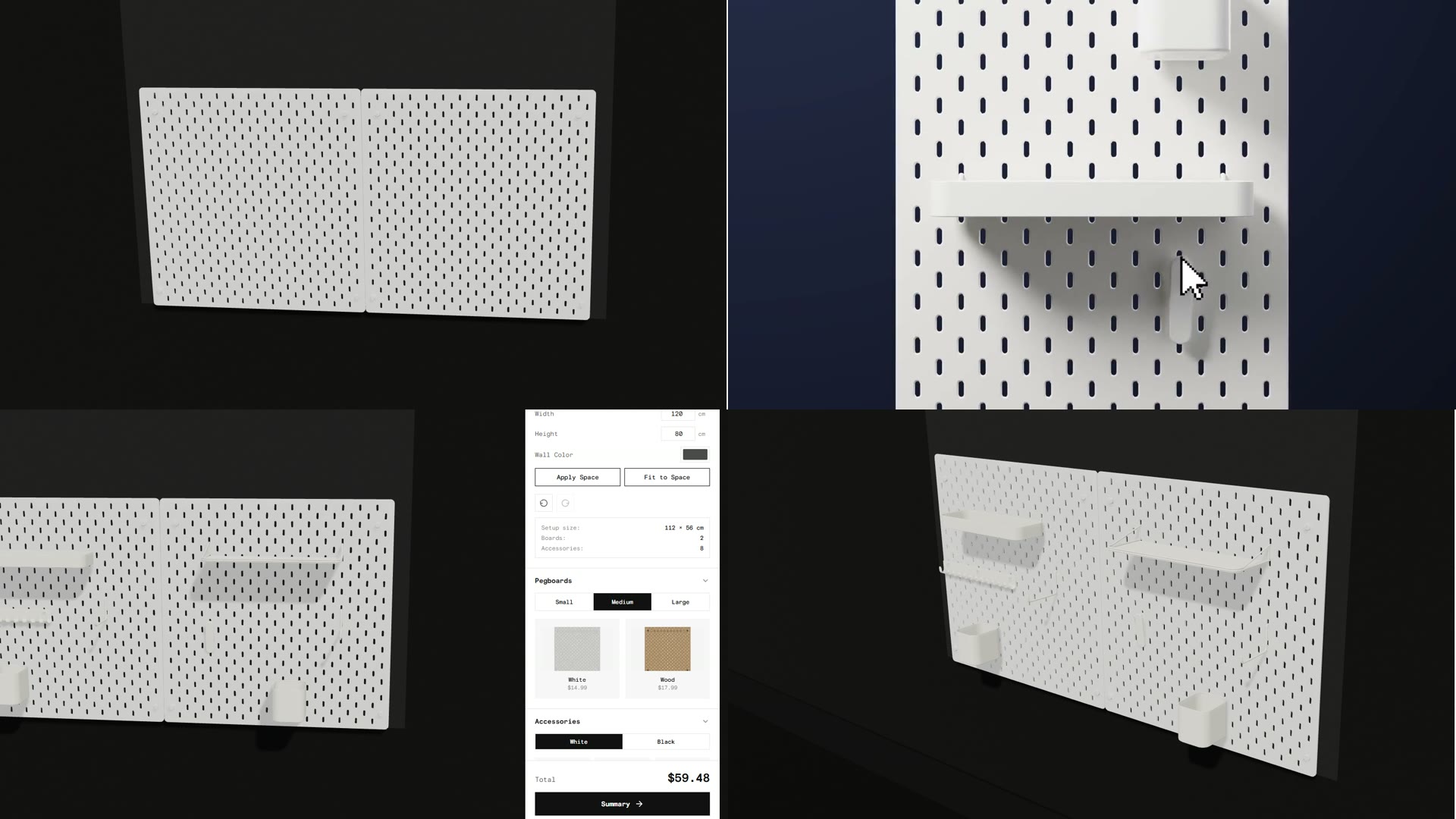
The problem
Buying a pegboard system involves guesswork. Parts are sold separately, product photos are flat, and fit is only confirmed after everything arrives. The tool shows fit, look, and cost live, before purchase.

Key design decisions
Direct placement instead of a menu
Accessories are dragged directly onto the board rather than selected from a list. The user sees the wall as it will actually be arranged, rather than working from a parts list.

Snapping to valid positions
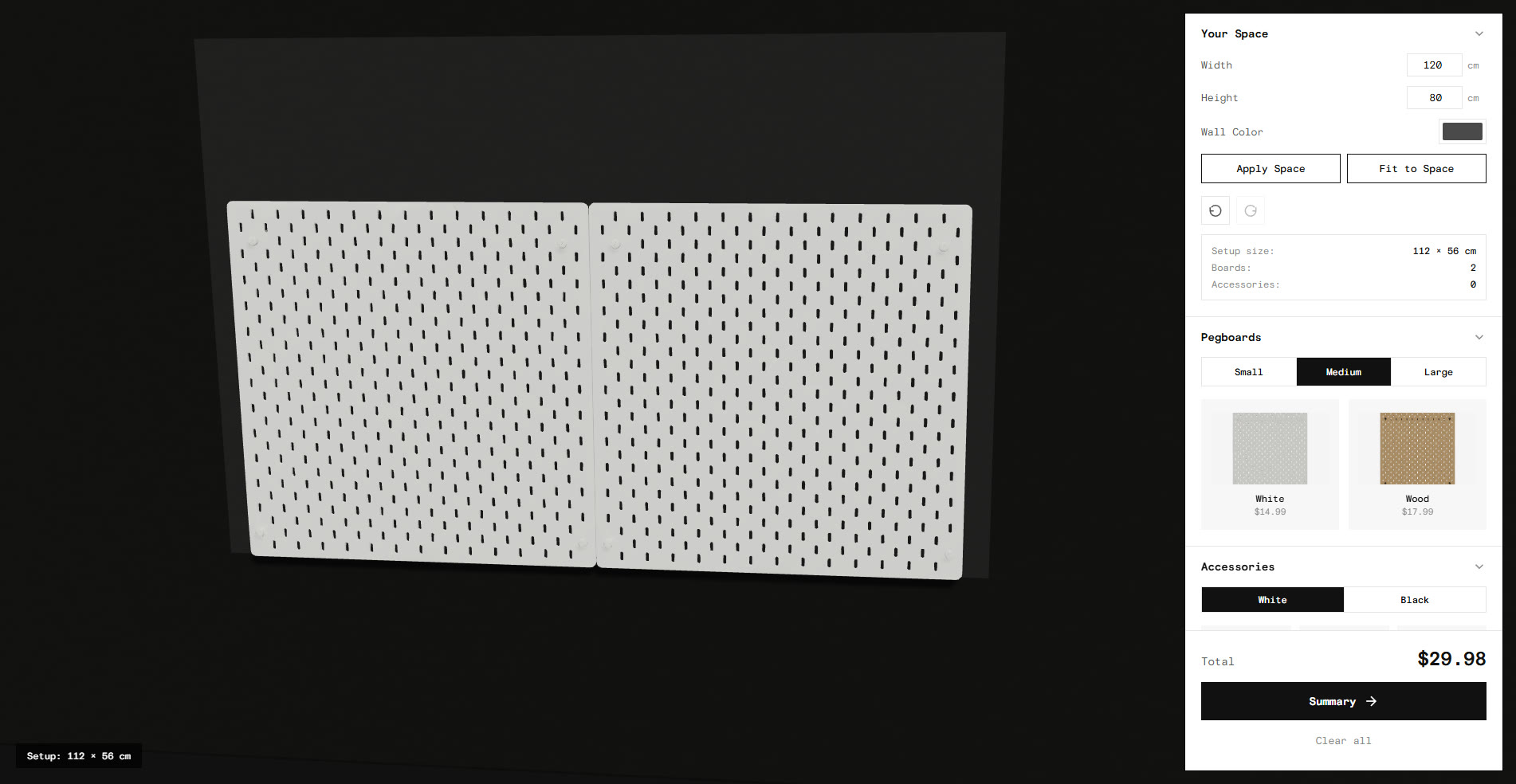
Dragged items lock to the nearest valid position, and boards snap edge to edge when within 8cm of each other, so multiple boards align into one wall. This rules out layouts a real pegboard could not support.
Building against a real wall
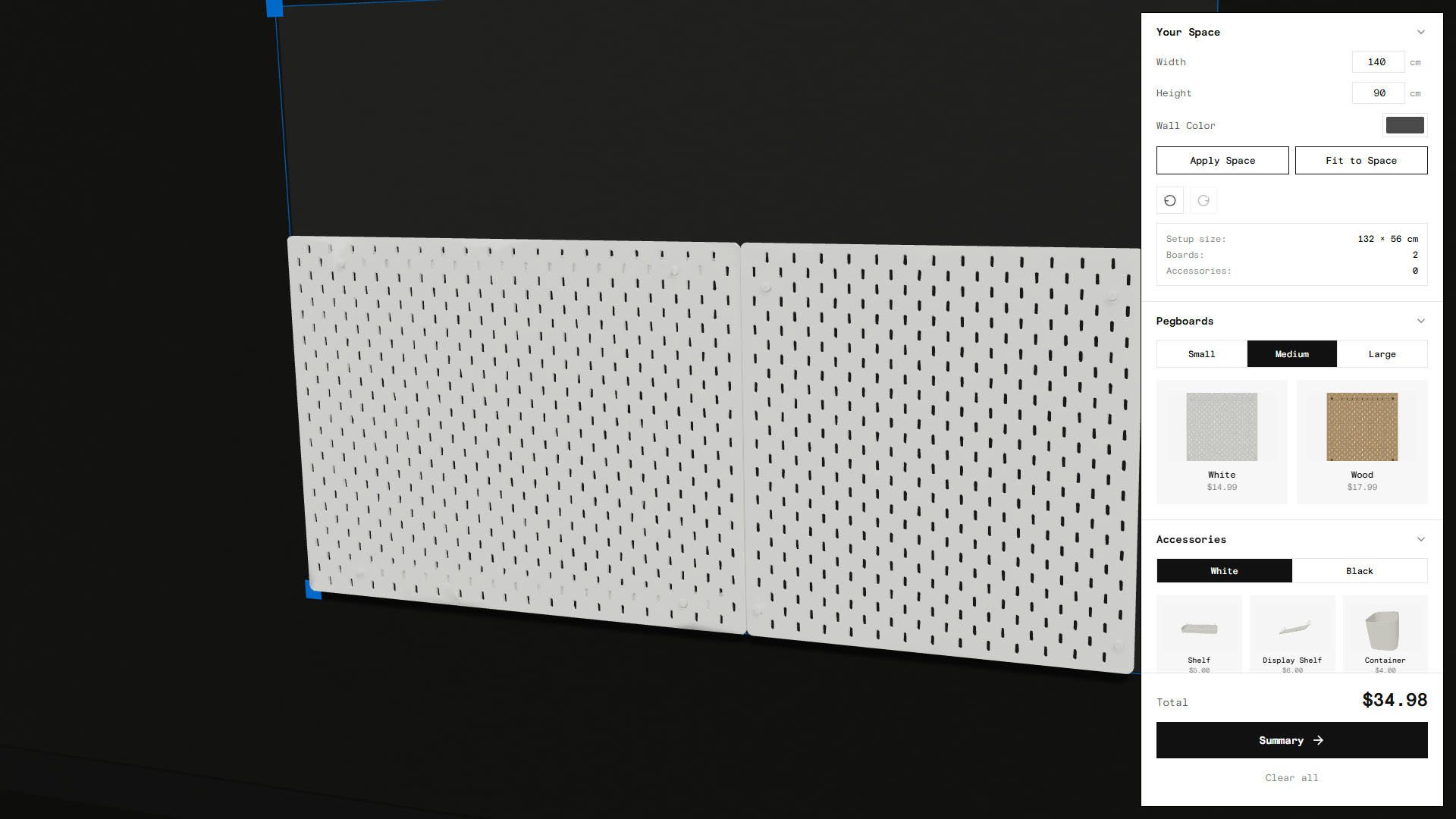
A "Your Space" input takes the wall's real dimensions in centimetres, and "Fit to Space" fills that area with boards automatically. This answers what a shopper actually wants to know, whether the system will fit their wall.
Showing the price as you build
Every board and accessory is individually priced, and the total updates live as items are added and removed, so cost is visible during each design decision rather than at checkout.
How it works
Everything happens on one screen. The user orbits the 3D view, picks boards and finishes from one panel, drags accessories from another, and reads the running total and parts list in a summary.

Purpose-built 3D assets
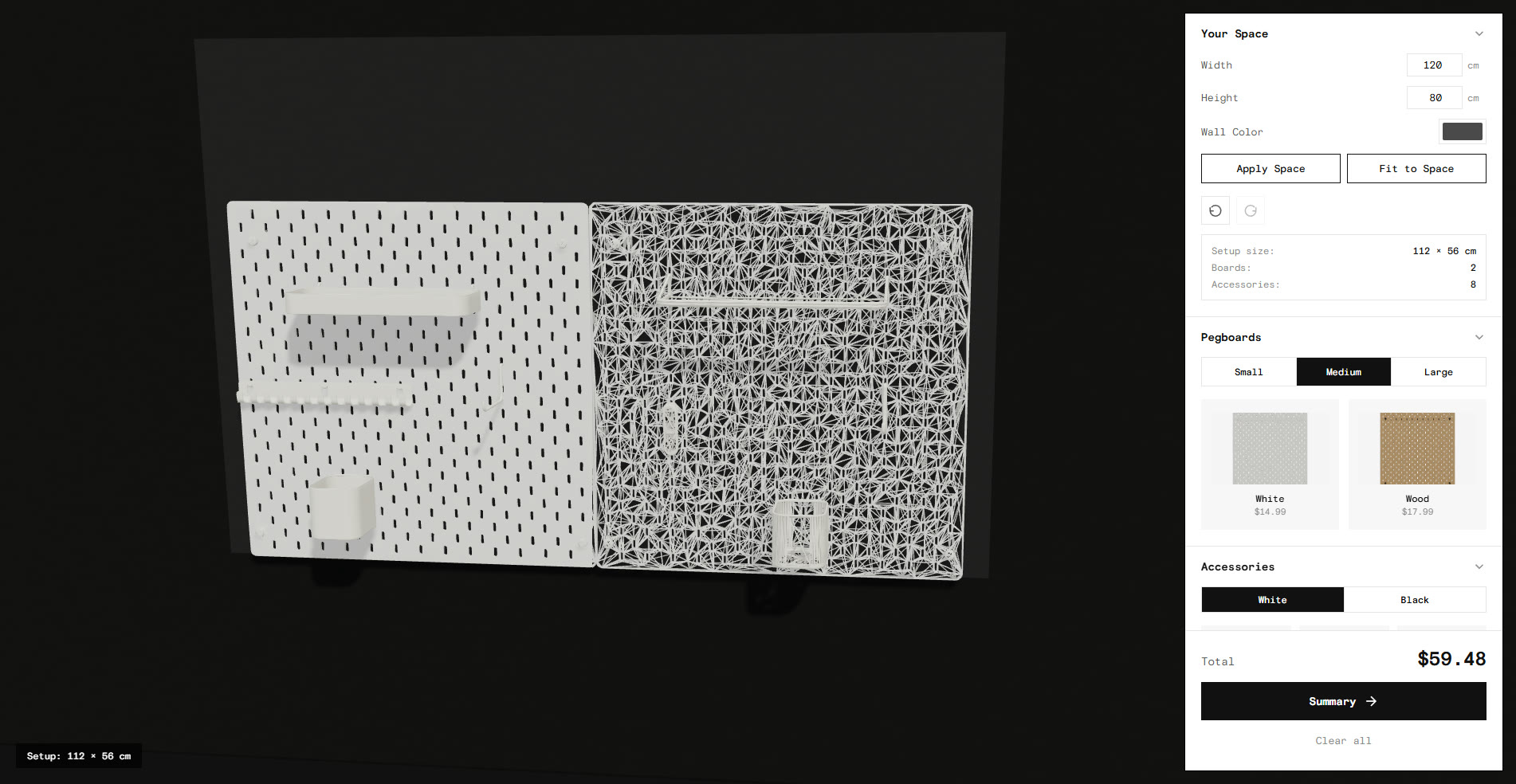
The twelve models, three board sizes in white and wood plus six accessories, were made in Fusion 360, so sizes, proportions, and snap points share one grid.
Next steps
The next step is user testing to validate the design, followed by improving the look of the configurator itself, which is currently functional but bare.
The clearest gap is the end of the flow. A wall can be built and priced but not yet saved, exported, or shared. Closing that loop takes the tool from planning to ordering.